
01 / Know what you have
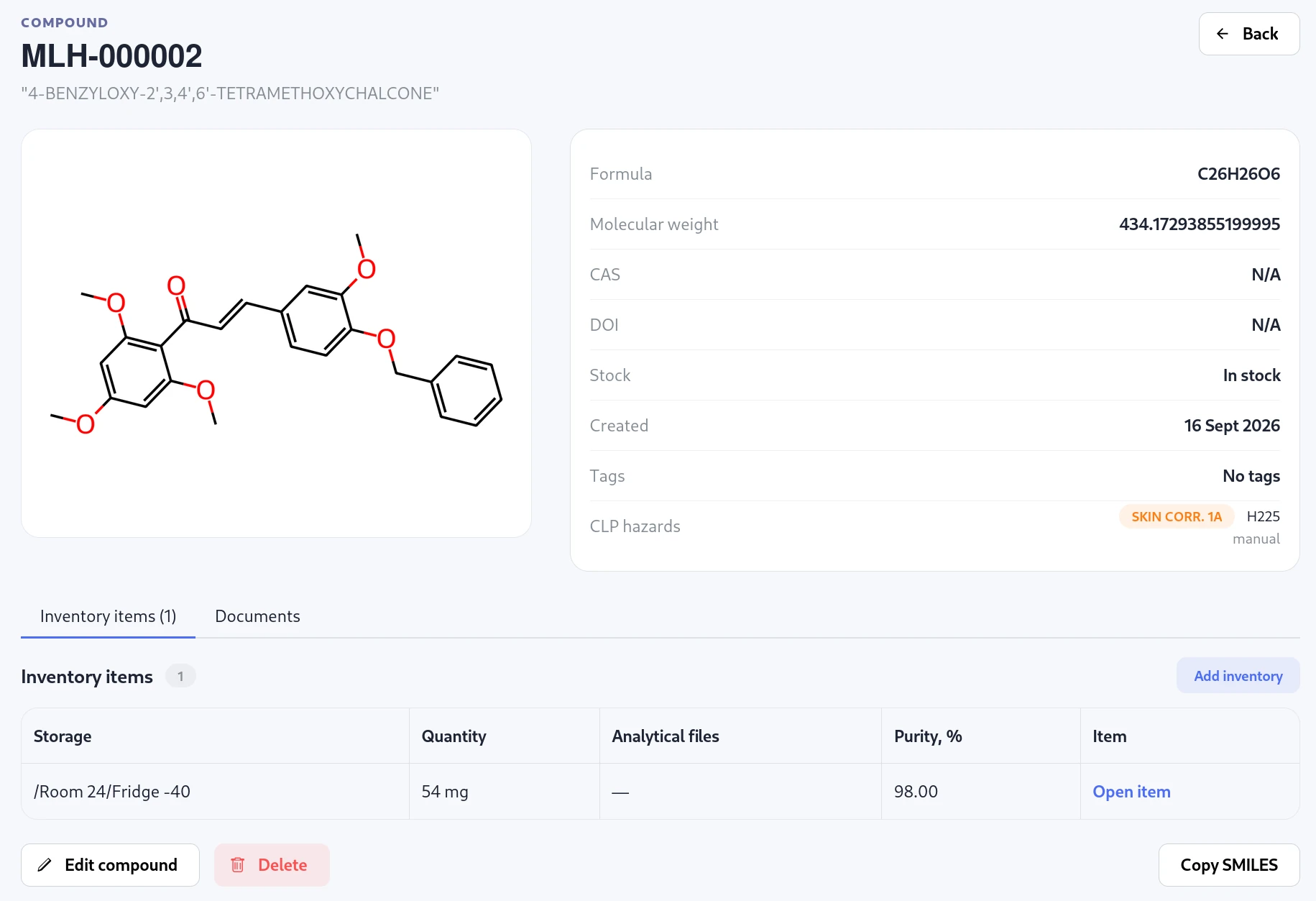
One compound can have many physical samples.
In a synthesis lab, a compound record describes the chemical identity: structure, name, identifiers, tags and hazards. You may prepare that compound more than once, split a batch, or keep samples in different places. Those physical samples need their own inventory records.
Molhaven keeps the compound and its inventory items connected. Search by registration number or chemical structure, then open a sample to see its quantity, status, location, dates, responsible person, project and analytical files. This lets you find the material you can actually use in an experiment.
02 / Know where it is
Make the storage map match your lab.
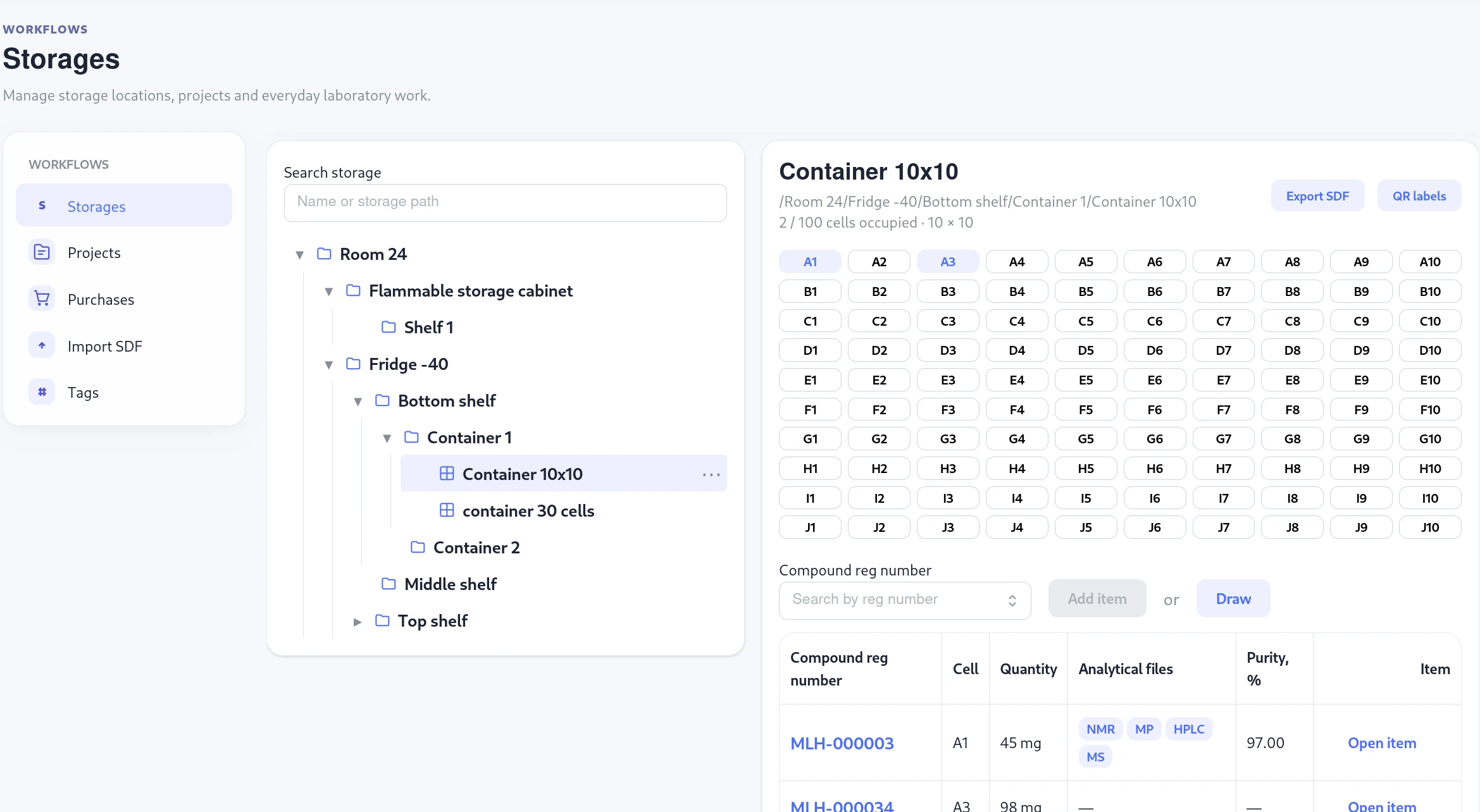
Model rooms, freezers and shelves as a storage tree. For samples kept in boxes, use a container with numbered cells. Each cell holds one item, so the record points to a position a colleague can find. Items can also live directly on any ordinary storage node, such as a shelf.
Print Code 128 barcode labels for items and scan them to open the correct record. The location remains visible on the item page, along with its quantity and history. When a sample moves, record its new location rather than losing its trail.
03 / Know what is left
Keep quantities useful between stocktakes.
Finding the right bottle is only part of the problem. The recorded amount needs to reflect what is left after someone uses it. Molhaven lets lab members record consumption, move a sample, set a low-stock threshold and see items nearing expiry.
The same inventory workflow can cover everyday reagents and solvents. A low-stock alert helps the next person notice a nearly empty bottle or canister before they need it. Inventory pages and scheduled email reports bring those items to the team’s attention.
04 / Check the shelves
Verify what is physically present.
Start a stocktake for a storage area and scan items as you go. Compare their recorded and observed locations, then review discrepancies before making changes. An unscanned item is not automatically disposed of: the team decides how to resolve it.
You can export the findings for a record of the check. This is useful when the database and the contents of a freezer have drifted apart over time.
05 / Start with existing records
Bring your spreadsheet into a usable workflow.
Many labs already have compound names, structures, amounts and storage notes in Excel or CSV files. Upload what you have and we can help map those records into compounds, physical items and storage locations. You can review the prepared data with us before using it in the lab.
If your data is already in SDF format, Molhaven also has a self-service import with property mapping and validation before changes are written. See the full import workflow and setup help.
Common questions
Before you get started
Can I track several samples of the same compound?
Yes. Keep one compound record for its chemical identity and create a separate inventory item for each physical sample. Each item can have its own quantity, location and details.
Do I have to put every item in a box?
No. Items can be stored directly in a room, freezer, shelf or another ordinary storage location. Use containers and cells where your lab actually uses them.
Can I import an Excel or CSV inventory?
Yes, with assisted setup. Send us the files you currently use and we will help prepare them for import. Direct self-service mapping is available for SDF files.
See the screens and details behind the complete workflow.
Explore Molhaven features